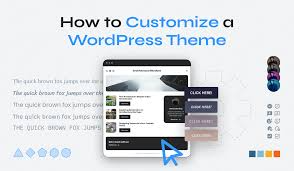
WordPress Themes Explained: Design, Structure, and Smart Customization
WordPress themes are often the first thing people interact with when building a website—but they are also one of the most misunderstood parts of WordPress. For beginners, a theme is “how the site looks.” For professionals, a theme is a presentation layer that must balance design, performance, flexibility, and long-term maintainability.
This article explores WordPress themes from a practical and architectural perspective, helping you understand what themes should do, what they should not do, and how to use them wisely.
What Is a WordPress Theme?
A WordPress theme controls how content is displayed on the front end of a website. It defines layouts, typography, colors, and visual structure, while pulling content from the WordPress core.
A typical theme includes:
-
Template files (
index.php,single.php,page.php) -
Stylesheets and scripts
-
Template parts (headers, footers, sections)
-
Theme configuration files
A well-built theme focuses on display, not functionality.

The Role of Themes vs Plugins
One of the most important concepts in WordPress is understanding the boundary between themes and plugins.
Themes Should Handle:
-
Layout and design
-
Markup and styling
-
Visual components
Plugins Should Handle:
-
Business logic
-
Custom post types
-
Forms, APIs, and automation
-
Data processing
Mixing these responsibilities leads to theme lock-in and fragile sites.
Types of WordPress Themes
Not all themes are created for the same purpose.
1. Pre-Built (Off-the-Shelf) Themes
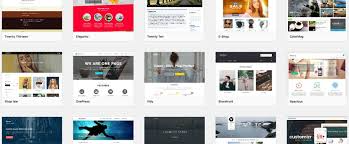
Designed for speed and convenience, often bundled with demos and page builders. Great for quick launches, but may include unused features and heavy assets.
2. Custom Themes
Built specifically for a project. These are lean, fast, and easier to maintain long term—but require development expertise.
3. Block Themes
Built around the Gutenberg and Full Site Editing. They use blocks for headers, footers, and layouts instead of traditional PHP templates.
Each type has trade-offs in flexibility, performance, and longevity.
Understanding Block Themes and Full Site Editing
Block themes represent the future direction of WordPress.
What Makes Block Themes Different
-
Layouts are built with blocks
-
Styles are managed globally
-
Templates can be edited visually
-
Less reliance on PHP templates
Block themes offer greater control for editors while keeping content structured and portable.
Theme Performance Considerations
Themes play a major role in site speed.
Common Performance Issues
-
Excessive scripts and styles
-
Large image assets
-
Inline CSS and JavaScript
-
Overly complex layouts
Performance Best Practices
-
Choose lightweight themes
-
Remove unused features
-
Use proper asset loading
-
Avoid bundling unnecessary plugins
A fast theme is often more valuable than a visually complex one.
Customizing Themes the Right Way
Advanced customization should avoid direct edits to theme files.
Safe Customization Methods
-
Child themes
-
Custom plugins
-
Block patterns and styles
-
Theme configuration files
This approach protects your changes during updates and simplifies maintenance.
Theme Lock-In and Long-Term Maintenance
Theme lock-in happens when content and functionality depend heavily on a specific theme.
How to Avoid Lock-In
-
Keep content inside the WordPress editor
-
Avoid theme-specific shortcodes
-
Use standard blocks and patterns
-
Move logic into plugins
Themes should be replaceable without breaking your content.
Choosing the Right Theme Strategy
There is no universal “best” theme.
Practical Guidelines
-
Use pre-built themes for small or short-term sites
-
Use custom or block themes for long-term projects
-
Prioritize performance and clarity over features
-
Choose themes that respect WordPress standards
The best theme is one that disappears into the background and lets content shine.
Conclusion
WordPress themes are more than visual skins—they are foundational to how a site performs, scales, and survives over time. Understanding their role helps you make better decisions, avoid technical debt, and build websites that are easier to manage and evolve.