WordPress Plugins Explained: Extending Your Site Without Breaking It
Plugins are the true engine of WordPress flexibility. From simple contact forms to full ecommerce platforms, plugins allow WordPress to adapt to almost any use case. But with that power comes risk—too many plugins, or the wrong ones, can slow down your site, create conflicts, and increase security vulnerabilities.
This article explains how WordPress plugins work, how to choose them wisely, and how to use them responsibly for long-term success.
What Is a WordPress Plugin?
A WordPress plugin is a package of code that adds or modifies functionality without changing WordPress core files. Plugins interact with WordPress through hooks, filters, and APIs.
Plugins can:
-
Add new features
-
Modify existing behavior
-
Integrate third-party services
-
Automate workflows
Well-built plugins extend WordPress cleanly. Poorly built ones create technical debt.
Why Plugins Are Central to WordPress
WordPress follows a modular philosophy: keep the core simple and extend features via plugins.
Common Plugin Use Cases
-
SEO and analytics
-
Security and backups
-
Performance optimization
-
Ecommerce and payments
-
Forms and marketing tools
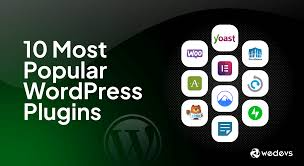
Popular plugins like WooCommerce or Yoast SEO essentially turn WordPress into entirely different platforms.
Types of WordPress Plugins
Understanding plugin categories helps you avoid overlap and redundancy.
1. Utility Plugins
Handle specific tasks like caching, image optimization, or redirects.
2. Feature Plugins
Add major functionality such as ecommerce, memberships, or LMS systems.
3. Integration Plugins
Connect WordPress with CRMs, email platforms, or APIs.
4. Custom Plugins
Built specifically for one site to handle unique requirements.
Custom plugins are often the cleanest long-term solution for advanced sites.
The Plugin Performance Myth
A common belief is that “more plugins = slower site.”
That’s not always true.
What Actually Affects Performance
-
Poorly written code
-
Excessive database queries
-
Loading scripts on every page
-
Heavy background processes
One bad plugin can hurt performance more than ten good ones.
Plugin Conflicts and Compatibility
Plugins share the same WordPress environment, which makes conflicts possible.
Common Causes of Conflicts
-
Duplicate functionality
-
Outdated code
-
Improper use of hooks
-
JavaScript namespace collisions
Best Practices
-
Avoid plugins that overlap in purpose
-
Test updates in staging environments
-
Keep WordPress core up to date
-
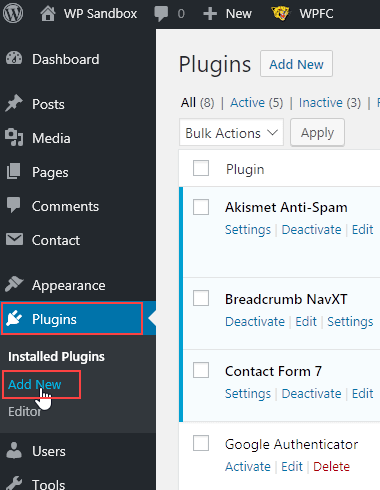
Remove unused plugins completely
Compatibility issues increase as sites grow more complex.
Security Considerations for Plugins
Plugins are one of the most common attack vectors in WordPress.
Smart Security Practices
-
Install plugins only from trusted sources
-
Check update history and support activity
-
Remove abandoned plugins
-
Limit admin access
Security plugins help—but choosing reliable plugins matters more than adding protection layers.
Free vs Premium Plugins
Price does not always indicate quality—but support and maintenance matter.
Free Plugins
-
Great for simple needs
-
Community-supported
-
Limited guarantees
Premium Plugins
-
Dedicated support
-
Regular updates
-
Advanced features
For business-critical functionality, premium plugins are often worth the investment.
Custom Plugins vs Third-Party Plugins
Sometimes the best plugin is the one you write yourself.
When Custom Plugins Make Sense
-
Site-specific functionality
-
Performance-critical features
-
Avoiding feature bloat
-
Long-term maintenance control
Custom plugins reduce dependency on third-party tools and prevent theme lock-in.
Plugin Hygiene: Long-Term Maintenance
A healthy plugin ecosystem requires discipline.
Plugin Maintenance Checklist
-
Audit plugins regularly
-
Delete inactive plugins
-
Replace outdated tools
-
Document why each plugin exists
Plugins should earn their place on your site.
Conclusion
WordPress plugins are powerful allies—but only when used intentionally. The goal is not to minimize plugin count, but to maximize plugin quality and purpose.